🔒
This project is still in progress and under NDA. Details below are intentionally general — happy to walk through specifics live for anyone who wants the full story.
The problem
Taking AI-assisted project creation from duplicate components and liminal space to true side-by-side assisted editing in the product
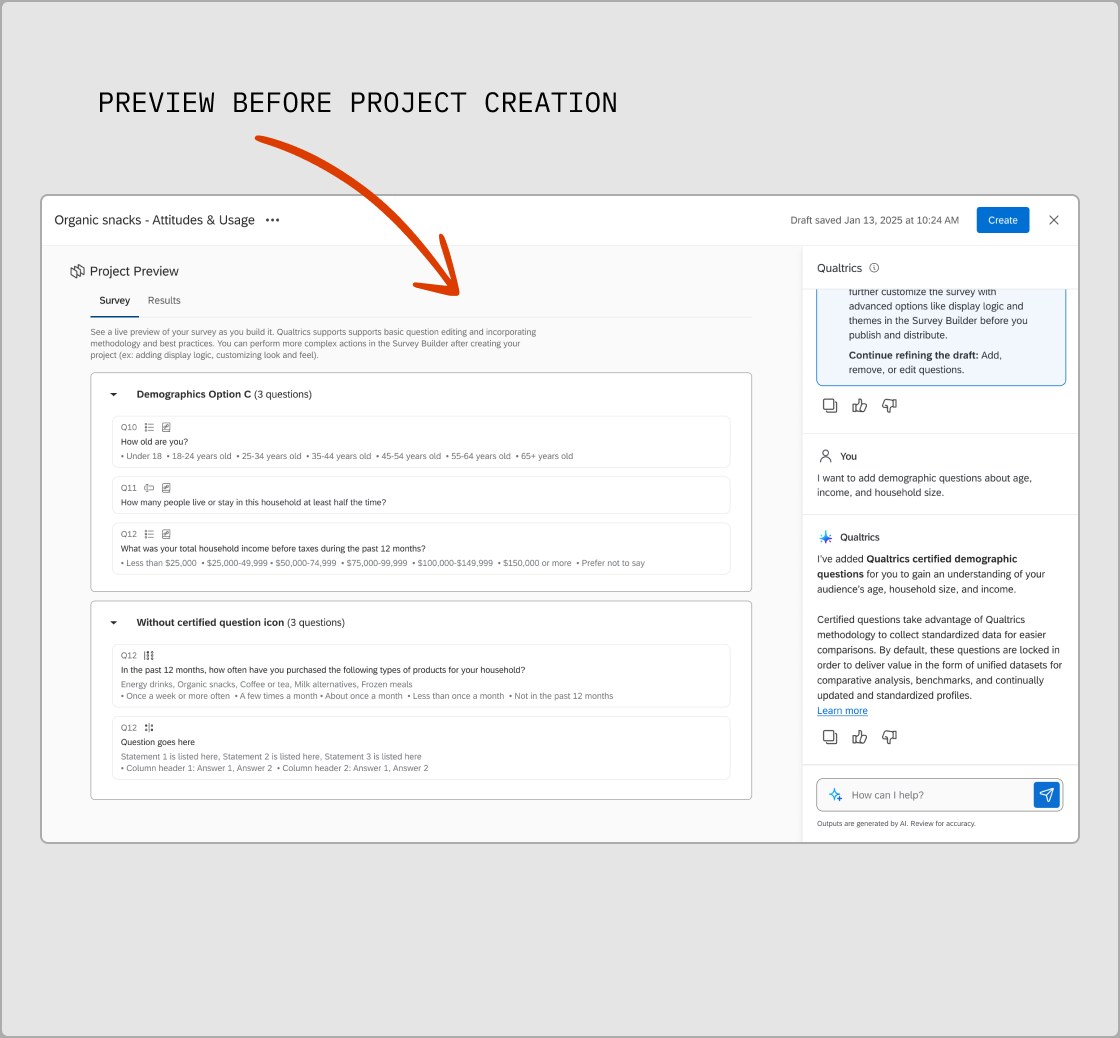
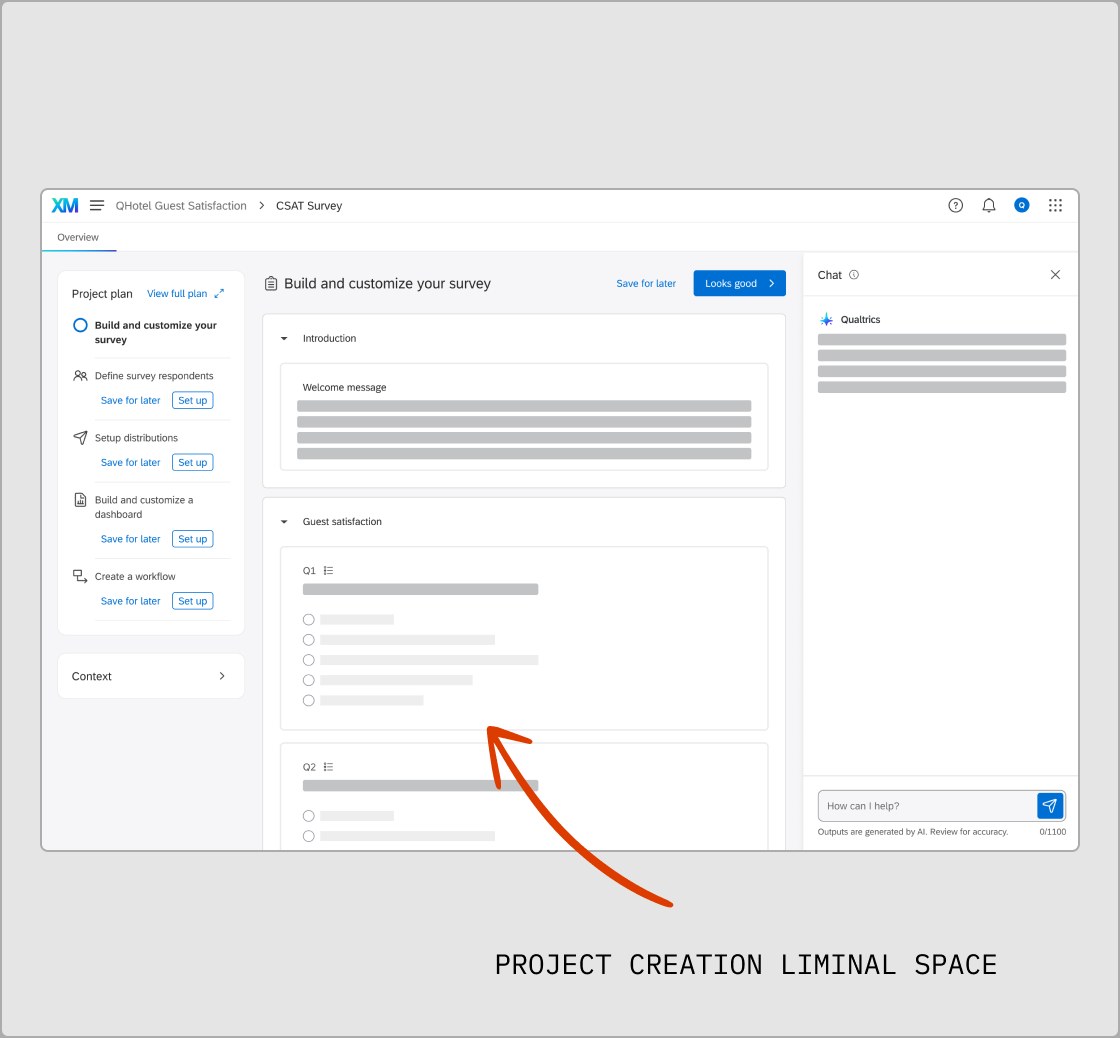
Before I joined the team, Qualtrics' original version of AI-assisted project creation was built with the assumption that the user would want to see a preview of their project before signing off on the AI's decisions. This was a good jumping off point to test the abilities of AI project creation. The next version pulled the user into a vacuum of editing mode, detached from real product and in-product wayfinding. My hypothesis was that these approaches lacked the ability to get to know the product in full for themselves and created duplicate work for our engineering team. As a designer, it created a bottleneck of working with partner teams to create similar components but in a strange liminal space.
Problem definition
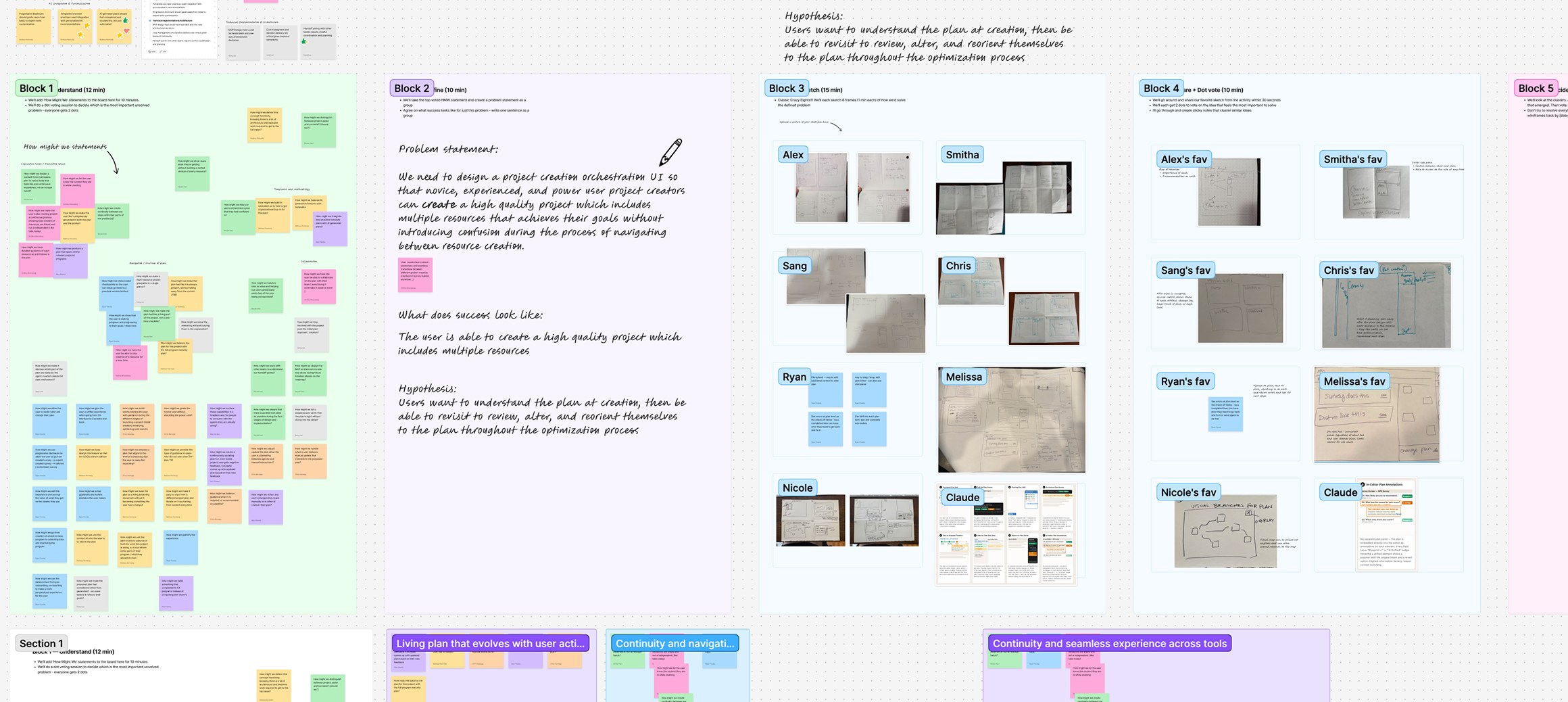
A design sprint reframed the job: not to hand people a finished project, but a plan their resource teams could carry out.
As I was joining the project, the first version of the AI-assisted project creation experience was already rolling out, and the team was still figuring out how it needed to evolve. I didn't think the disconnected-preview approach it was built on would scale for our users long-term, so I ran a truncated design sprint with our team's engineering leadership, product, and my design manager to work through the open questions we hadn't answered yet. That sprint surfaced the real insight behind the whole redesign: our job wasn't to hand people a finished project, it was to generate a plan that our resource teams could carry out.
Problem definition
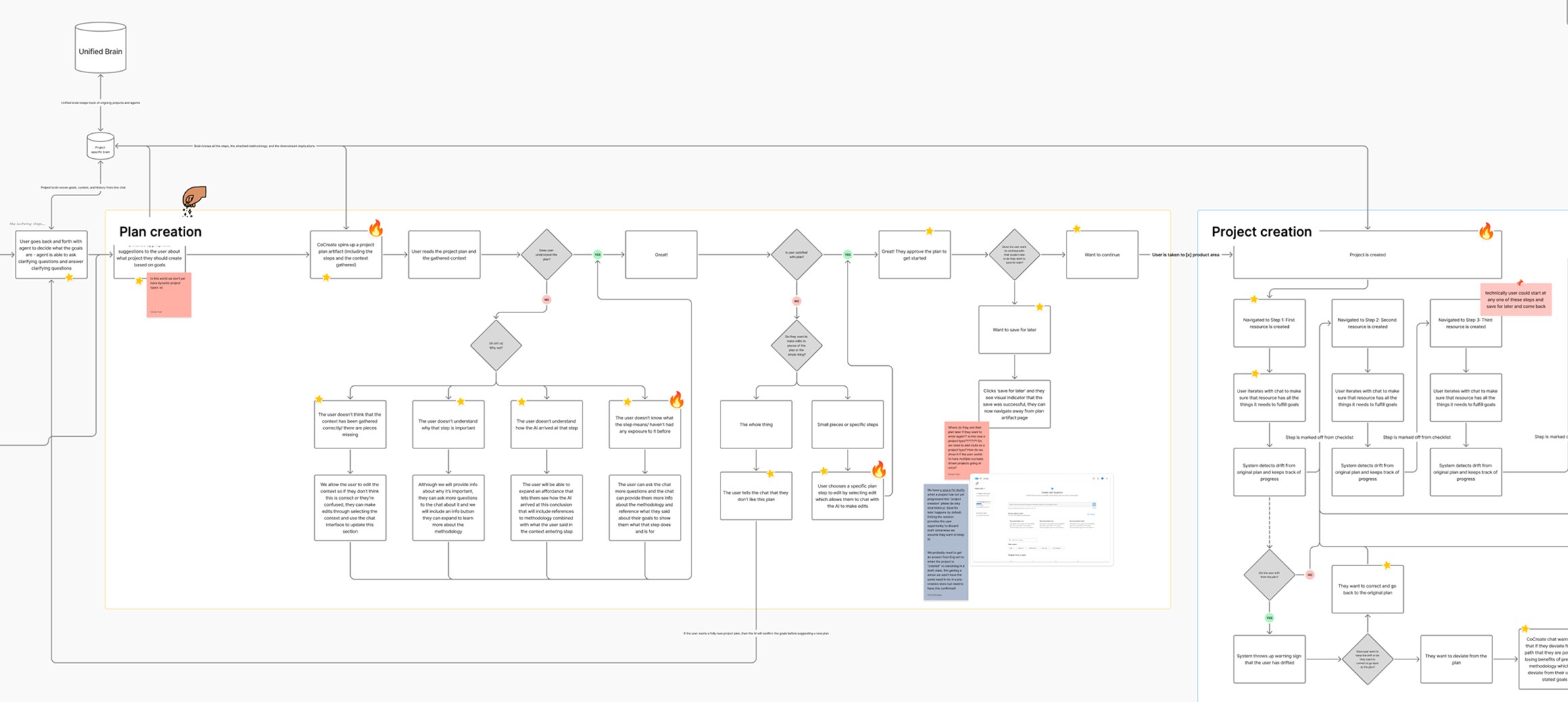
Mapped the states, timelines, and a full user journey — then wrote principles to keep decisions aligned.
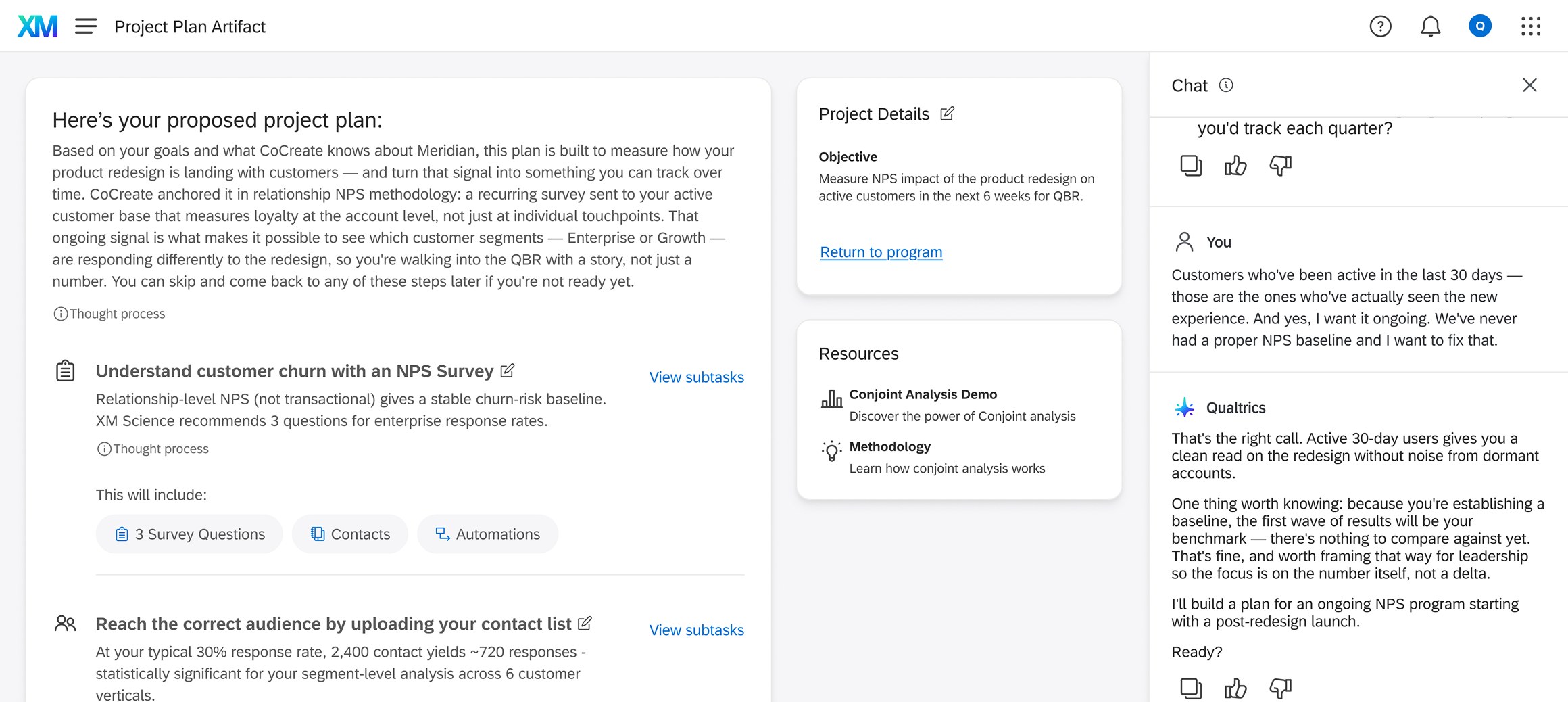
Once we aligned on the true goal, I built toward that direction so it could be validated. I started with mapping out the different states, pain points, and the end-to-end user journey to show how the new system would work and how we could still use the nuggets of wisdom behind the earlier version. I also wrote a set of design principles and validated them with my product unit, so everyone had something solid to fall back on when making big calls or explaining the direction to other stakeholders.
Early design + validation
19 stakeholders across 6 teams signed off on design direction in Figma after 2 days of design sprint
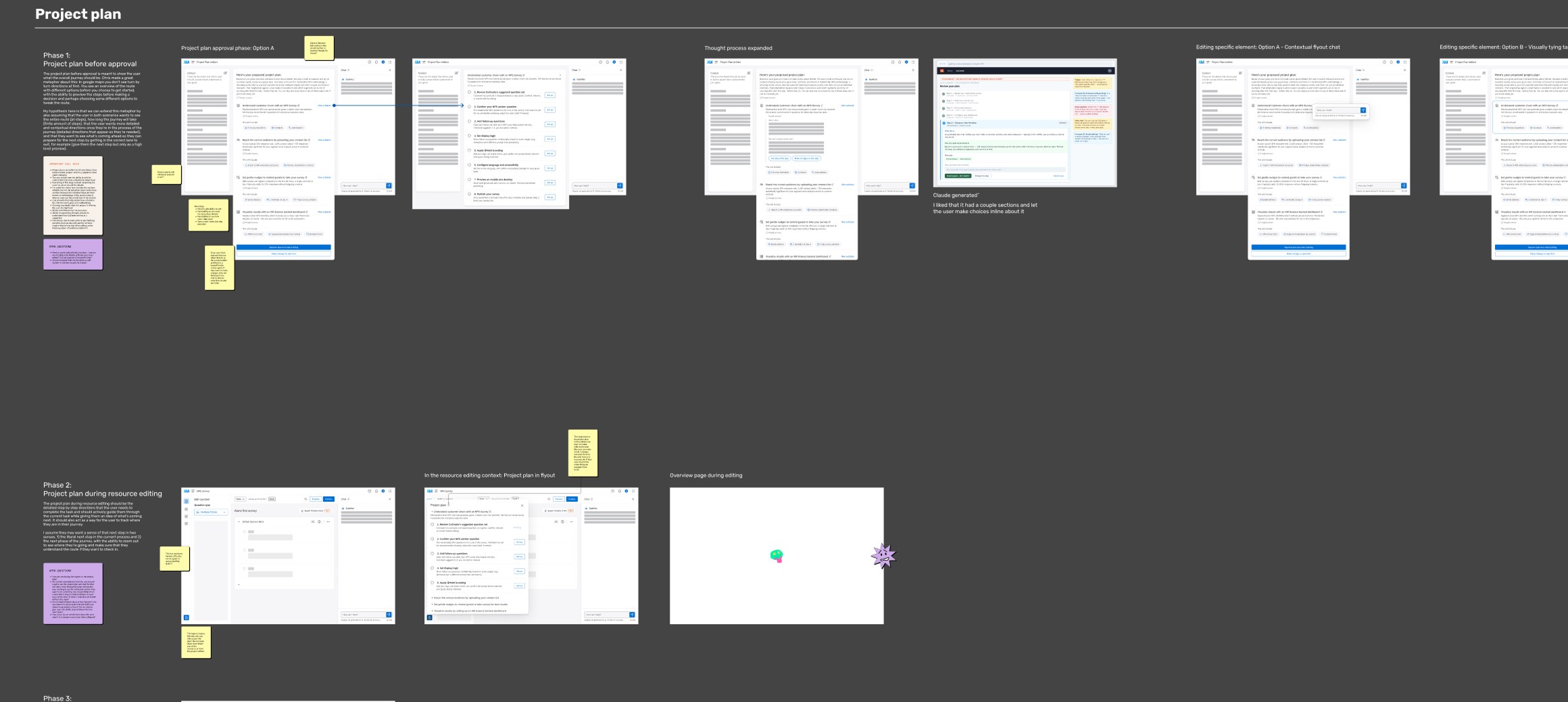
Once that was built out, I validated it internally across stakeholders, walking through open questions and rationale directly. I used these questions to build out our edge cases and answer "what happens if..." questions. It was important to gather this feedback so I could then put together a prototype and demo to bring on an internal roadshow to get partner team buy-in.
Where it stands
Validated the product direction internally, then built a prototype to show it in action
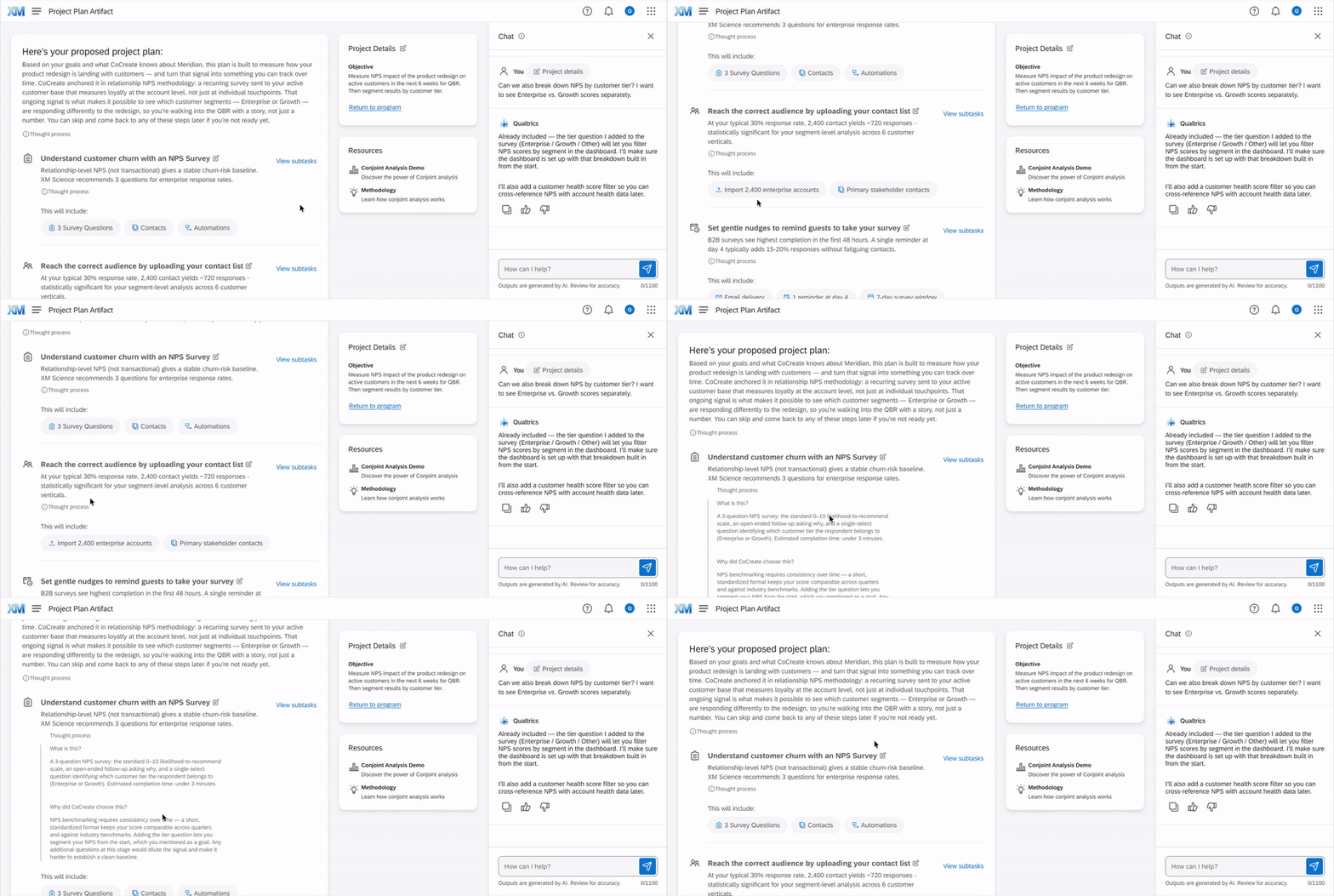
After getting sign off from our direct teams and stakeholders, it was time to take the concept on a roadshow. This meant putting together a prototype and a demo so that it could be shared with my thinking whether or not I was in the room. These assets, plus our design principles, in a UX POV deck were how we started getting buy-in from our partner teams — the teams that would carry out the plans handed off from the orchestration agent.
What's next?
Early access feedback and success metrics continue to shape our future direction for AI-assisted project creation
Since the earlier AI-assisted project creation experience went into early access, we've started running customer calls to pin down exactly what's working for people and what's missing — real-world input we're feeding directly into what CoCreate needs to get right. Alongside that, since CoCreate itself hasn't shipped yet, we are creating success metrics that will help us continue to understand customer behavior and see what adjustments need to be made. Our success metrics include how many projects actually get published through CoCreate, whether it shortens the time between starting a project and publishing it, and how many people come back to create more than one. We're also watching softer signals, like which methodologies people ask for most, how much back-and-forth it takes before someone lands on a project, and where the agent still can't do what someone's asking for. Pilot results and a public case study write-up are coming once it ships.
Reach out to me if you want to learn more about this project!